Finding and Writing KQL Queries with the Model Context Protocol

If you work with Microsoft security products, you've probably spent time writing KQL queries. You might search through documentation, look at examples on GitHub, or copy queries from colleagues. KQL-Search-MCP Server makes this easier by bringing query search and generation directly into AI assistants like Claude Desktop, GitHub Copilot, ChatGPT or Locally hosted clients.
What This Tool Does
The KQL-Search-MCP Server is a Model Context Protocol server that does two main things. First, it searches GitHub repositories for existing KQL queries. Second, it generates new queries based on a database of 300+ table schemas from Microsoft Defender XDR, Microsoft Sentinel, and Azure Monitor.
When you ask for a query in natural language, the server can either find similar queries that others have written or generate a new one using the schema information it has. The generated queries are should be validated against the actual table schemas before they're returned, although this is still very much work in progress.
How GitHub Search Works
The server searches across all public GitHub repositories for KQL query files. This includes .kql files, YAML files containing Microsoft Sentinel detection rules, and text files with queries. When you ask for something like "show me failed login detection queries", it searches GitHub, extracts the queries from those files, and ranks them by relevance and repository popularity.
You can search broadly across GitHub or narrow it down to specific repositories or organisations. If you regularly use queries from Microsoft's official repositories, you can configure those as favourites so searches check them first. The search respects GitHub's API rate limits and caches results to avoid unnecessary API calls.
Query Generation from Schemas
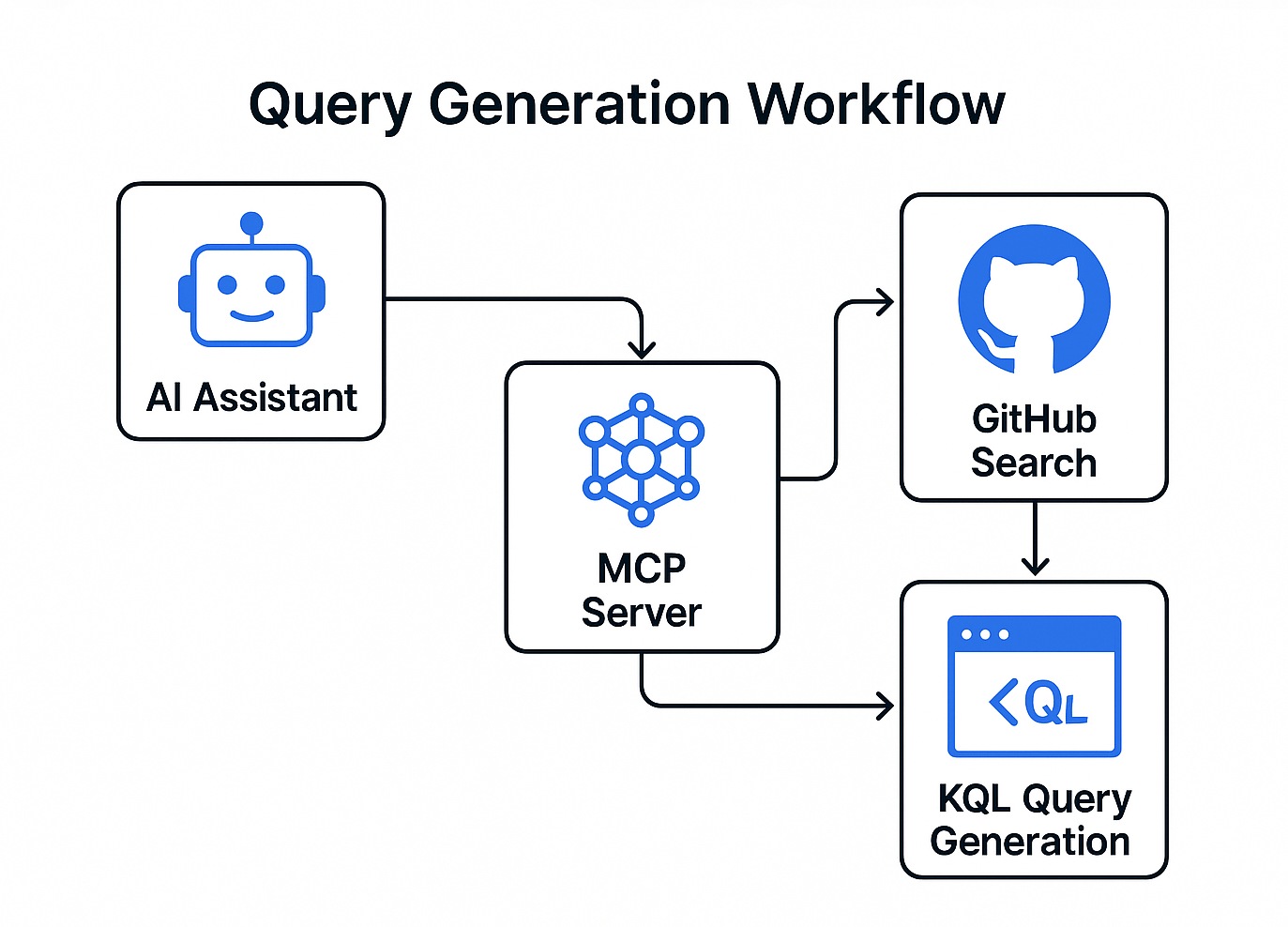
The schema database contains information about 300+ tables from Microsoft's security and monitoring products. Each table entry includes column names, data types, descriptions, and example queries. When you ask for a query, the server determines which table is most relevant, selects appropriate columns, and builds a query that should actually work.
The validation process checks that the table exists in the schema index, that all referenced columns are actually in that table, and that the query syntax follows KQL conventions. If you try to use a column that doesn't exist, it will tell you and suggest alternatives. For example, SigninLogs doesn't have separate City and Country columns - that data is in a LocationDetails object, in most cases the validator will explain this rather than generating a broken query, I am still working on complete validations.
The system includes 57 categories of tables, from authentication and identity data to network activity and threat intelligence. You can browse tables by category, search for tables by describing the data you need, or look up which tables contain a specific column.
Real Use Cases
Security analysts working with Microsoft Sentinel often need to find detection rules for specific threats. Rather than manually searching GitHub or documentation, they can ask for queries about lateral movement, credential theft, or suspicious PowerShell activity. The tool finds relevant queries others have written and explains what each one does.
When investigating an incident, you might need to query multiple data sources quickly. Instead of looking up table schemas and column names, you can describe what you want to find. The server generates validated queries that should run without syntax errors.
For people new to KQL, the tool provides working examples and shows how queries are structured. Each generated query includes an explanation of what it does and links to Microsoft Learn documentation for the tables and operators used.
What It Doesn't Do
This tool doesn't execute queries or connect to your Microsoft services. It only searches for queries and generates new ones. You still need to copy the query and run it in your own environment.
The schema database covers the main tables from Defender XDR, Sentinel, and Azure Monitor, but Microsoft adds new tables and columns regularly. If you need a table that isn't in the index, the tool will search GitHub for examples instead, though it can't validate those queries against schemas.
Generated queries are syntactically correct based on the schemas, but they might not be optimised for performance or exactly match your specific requirements. You'll likely need to adjust time ranges, add filters, or modify aggregations based on your actual needs.
Technical Requirements
You need a GitHub personal access token with public repository access. The tool uses GitHub's API to search for queries, so you need this even if you're just generating queries from schemas.
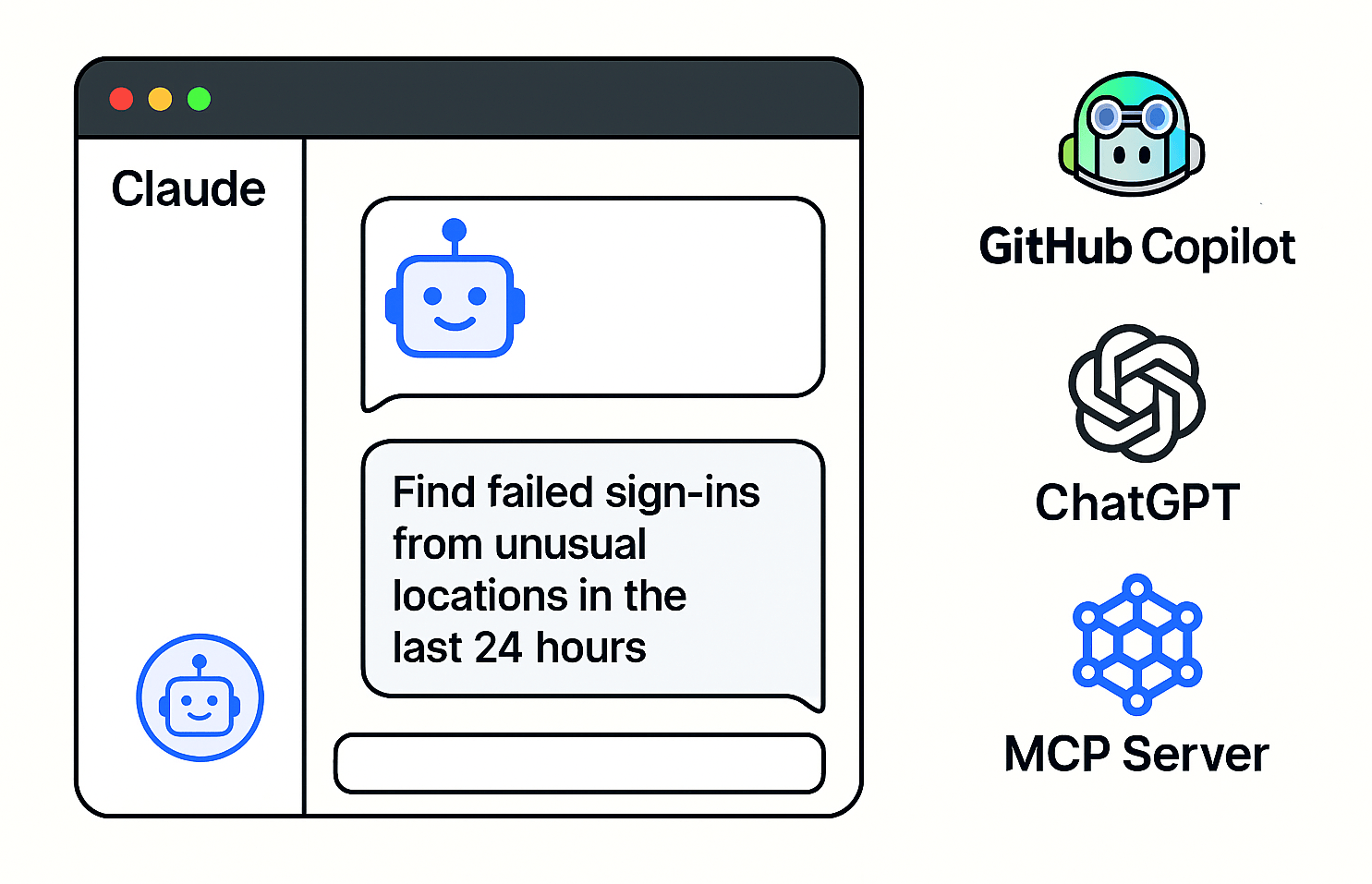
It works with any application that supports the Model Context Protocol. This includes Claude Desktop, ChatGPT (paid tiers), GitHub Copilot, and several code editors. Setup involves adding a configuration entry to the application's MCP settings file and providing your GitHub token.
For Claude Desktop on macOS, you edit a JSON file at ~/Library/Application Support/Claude/claude_desktop_config.json. On Windows it's in %APPDATA%\Claude\claude_desktop_config.json. The configuration tells Claude to run the server using npx, which fetches it directly from npm without requiring a separate installation.
Integration with Microsoft Documentation
The tool includes links to Microsoft Learn documentation for all tables and operators. When you generate a query, you get URLs to the relevant documentation pages.
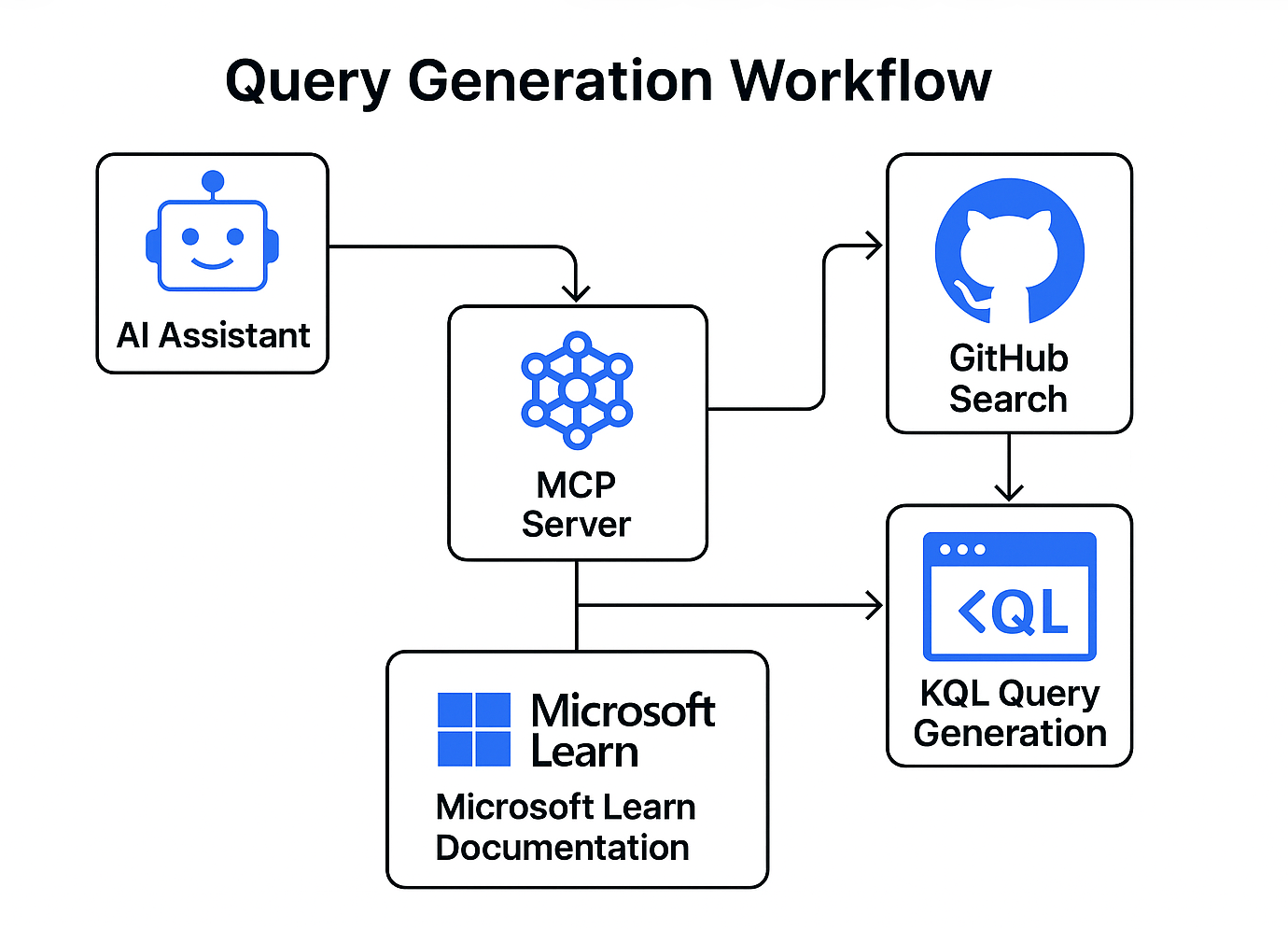
For deeper integration with Microsoft's documentation, you can add the Microsoft Docs MCP server alongside this one. That server, which runs through Docker's MCP gateway, provides semantic search across all Microsoft Learn content. Using both together means you get validated query generation from this tool and comprehensive documentation access from Microsoft's server.
What Makes the Validation Useful
The validation system checks every column reference in generated queries before returning them. This happened because early versions would sometimes generate queries using columns that seemed logical but didn't actually exist in the table. Now, if you ask for a query using City and Country fields in SigninLogs, it explains that those fields are in a LocationDetails object and shows you how to extract them properly.
The validator also suggests similar column names when you mistype something, finds alternative tables that have the columns you want, and warns about common mistakes like missing time filters or queries without row limits.
Typical Workflow
Someone asks their AI assistant for a detection query: "find failed sign-ins from unusual locations in the last 24 hours". The assistant uses the KQL-Search-MCP Server to search for similar queries on GitHub and generate a new one from the SigninLogs schema. It returns several options: examples from Microsoft's official repository showing how others detect this, and a generated query that filters SigninLogs for failed attempts with risk indicators.
The person reviews the options, picks the query that fits best, and runs it in their Sentinel / Defender workspace. They might modify the time range or add organisation-specific filters, but the core query structure should already be correct.
Installing and Using It
Installation through Claude Desktop takes about two minutes. You generate a GitHub token, edit the configuration file to add the server details, and restart Claude. After that, you can ask Claude questions about KQL queries and it will use the MCP server to search and generate them.
The same setup process works for other MCP-compatible applications, though the configuration file location and format varies slightly. GitHub Copilot uses a workspace-level configuration file, ChatGPT has settings in its web interface, and so on.
Once configured, you interact with it through natural language in your AI assistant. There's no separate interface or application to learn. You ask questions like you normally would, and the assistant uses the MCP server when it needs to search for or generate KQL queries.
Why Build This
KQL queries follow specific syntax rules and reference dozens of tables with hundreds of columns. Finding the right table, remembering column names, and getting the syntax correct takes time, especially if you don't write queries daily. People often search documentation, copy examples from GitHub, or ask colleagues for query templates.
The Model Context Protocol lets AI assistants access external tools and data sources. Rather than trying to remember all possible KQL tables and columns in its training data, an AI assistant can query this server when it needs current schema information or examples of working queries.
The tool exists because finding and writing correct KQL queries is a common task that involves looking up information from several sources. Bringing that into the AI assistant workflow means fewer context switches and faster results.
Limitations to Know About
The schema data comes from scraping Microsoft Learn documentation. It's updated weekly through automated checks, but there's always a gap between when Microsoft adds a new table or column and when it appears in this tool's database. If you're using preview features or recently released tables, you might need to check Microsoft's documentation directly.
GitHub search returns queries as they were written, without validation. Sometimes people write queries with mistakes or for older versions of tables. The search ranking tries to surface better quality queries by considering repository popularity and query complexity, but you should review any query before running it in production.
The natural language understanding for query generation works reasonably well but isn't perfect. If you ask for something ambiguous or use terms that don't clearly map to specific tables, the tool might pick the wrong table or generate something that needs significant modification. More specific requests generally produce better results.
Who This Tool Is For
Security analysts and engineers who regularly write KQL queries for Microsoft security products will find it most useful. If you work with Sentinel, Defender XDR, or Azure Monitor and spend time searching for detection rules or building custom queries, this tool fits into that workflow.
People learning KQL can use it to find working examples and understand how queries are structured. The generated queries include explanations and documentation links, which helps when trying to understand why a query is written a certain way.
Security operations teams that maintain libraries of detection rules can use it to find similar rules others have built or quickly generate starting points for new detections. The GitHub search covers Microsoft's official repositories plus community contributions, so you can see how different organisations approach similar detection problems.
Technical Details
The server is written in TypeScript and distributed as an npm package. When you configure an MCP client to use it, that client runs the server as a subprocess and communicates over standard input/output. The server maintains an in-memory cache of search results and schema lookups to reduce API calls.
The schema database is built by scraping table and column information from Microsoft Learn documentation. A weekly GitHub Actions workflow checks for schema changes and opens pull requests if tables or columns have been added or modified. This keeps the schema information current without requiring manual updates.
Query generation uses a combination of keyword matching to find relevant tables, schema validation to ensure column references are correct, and template generation to build syntactically valid KQL. The validation phase should check table names, column names, data types, and common syntax mistakes before returning a query, although this is very much work in progress.
The GitHub search uses GitHub's code search API with specific file type filters for KQL-related files. It extracts query text using pattern matching and regular expressions, then ranks results based on multiple factors including repository stars, file content structure, and keyword relevance.
Future Development
The tool currently focuses on query search and generation. Future versions might include query optimisation suggestions, more sophisticated validation that catches logical errors rather than just syntax mistakes, or support for automatically updating schemas when Microsoft releases new features.
The repository is currently private but will be open sourced very soon. Once public, the code will be available for anyone who wants to review how it works or contribute improvements.
Integration with additional MCP servers could provide context about your specific environment, though this raises security and privacy considerations around accessing production data. Any such features would need to be carefully designed around security boundaries.
The schema database could be expanded beyond the current 330 tables to include less common tables or preview features, though maintaining accuracy becomes more challenging with frequently changing content.
Getting Started
The NPM project README includes detailed setup instructions for different MCP clients. The basic process is to get a GitHub token, add the server configuration to your MCP client, and restart the client. After that, you can start asking for KQL queries through your AI assistant.
For most users, the setup takes a few minutes and then becomes invisible. You ask your AI assistant for KQL queries and get back working examples or generated queries that should run correctly. The tool stays in the background, only activating when the AI assistant needs to search for or generate KQL content.

If you've enjoyed this content and would like to support more like it, please consider joining the Supporters Tier. Your support helps me continue creating practical security automation content for the community.